Quick start
The problem
Running services locally usually means juggling tools, conflicting dependencies, and setups that silently break each other. Your database wants one version of something, your app wants another, and your host machine absorbs all the damage. It only gets worse as projects pile up.
How Jailrun solves it
Jailrun boots a FreeBSD virtual machine on your host using QEMU with hardware acceleration. Everything runs inside that VM — completely isolated from your host system. Your machine stays clean.
Inside the VM, Jailrun creates jails — lightweight, isolated environments that each get their own filesystem, network, and processes.
What is a jail?
A jail is a lightweight self-contained environment running inside FreeBSD. Nothing inside a jail can see or touch anything outside of it — and nothing outside can interfere with what's inside.
Jails are a native FreeBSD feature. They're fast to create, cheap to run, and easy to destroy and recreate from scratch. FreeBSD jails are one of the most proven isolation technologies in computing — and jrun makes them accessible from macOS, Linux, and FreeBSD itself.
graph TB
  subgraph HOST["Your Host — macOS / Linux / FreeBSD"]
    JRUN["Jailrun"]
    subgraph VM["FreeBSD VM — QEMU"]
      subgraph J1["jail: fastapi"]
        P1["uvicorn :8000"]
        M1["supervisor"]
      end
      subgraph J2["jail: postgres"]
        P2["postgresql :5432"]
        M2["supervisor"]
      end
      subgraph J3["jail: redis"]
        P3["redis :6379"]
        M3["supervisor"]
      end
    end
  end
  JRUN --> VM
Declarative configuration
Jailrun is an orchestration tool. You describe the desired state in a config file — which jails to create, what to install, which ports to forward, what processes to run — and jrun brings the system to that state.
Create a file called web.ucl:
jail "httpserver" {
  forward {
    http { host = 7777; jail = 8080; }
  }
  mount {
    src { host = "."; jail = "/srv/project"; }
  }
  exec {
    server {
      cmd = "python3.13 -m http.server 8080";
      dir = "/srv/project";
    }
  }
}
This declares a jail that mounts your current directory, forwards port 7777 to 8080, and runs a supervised Python HTTP server inside.
Start and bring it up
Boot the VM (downloads the FreeBSD image and bootstraps on first run):
Deploy the jail:
With one command, jrun creates the jail, mounts your code, wires up the ports, and starts the process. If the process crashes, it is restarted automatically.
If you change the config later — update a forwarded port, add a new one, mount another directory, or modify a process — just jrun up it again.
Smoke test
You should see your project files served back.
Check status
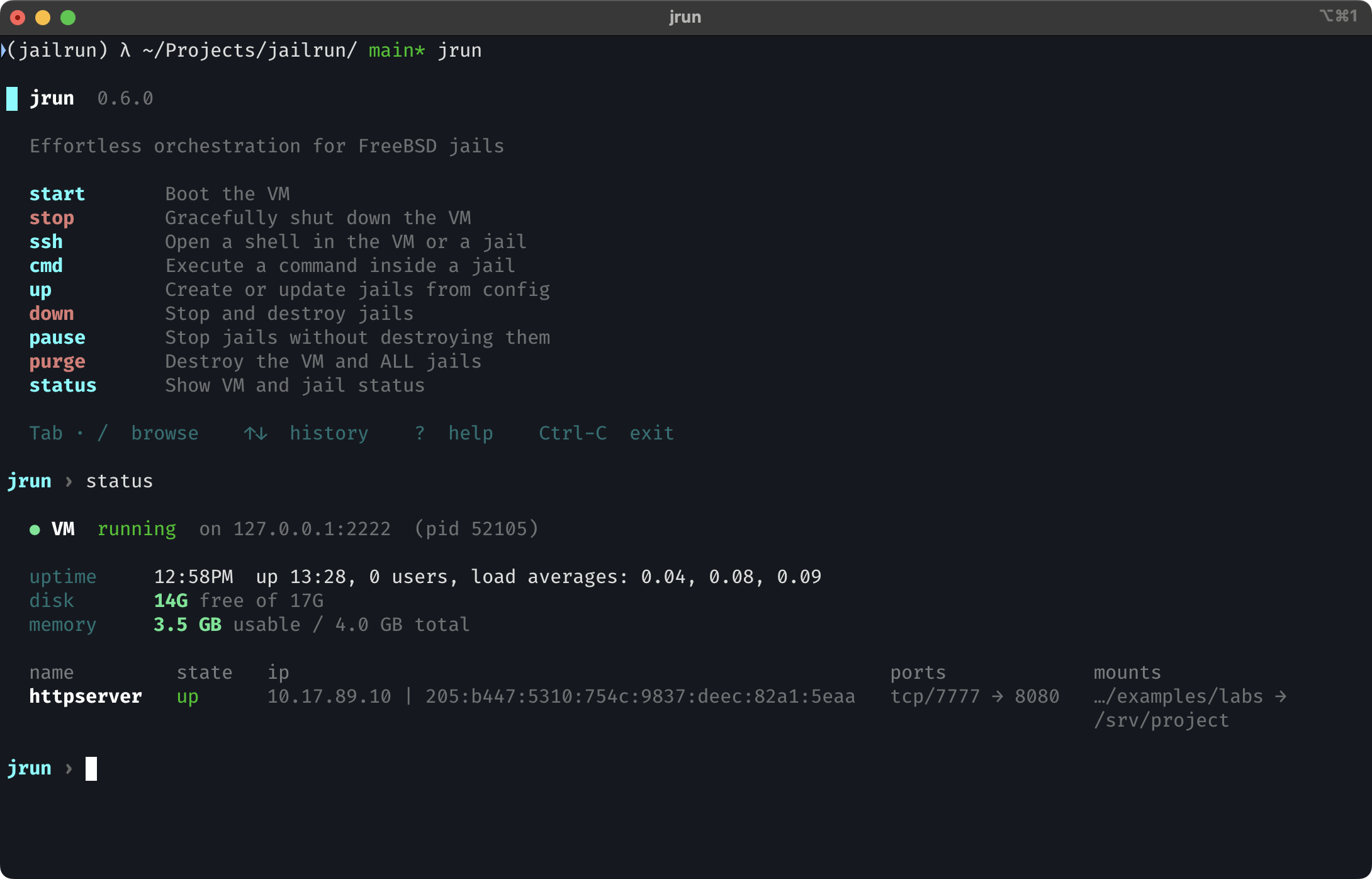
Interactive shell
Don't want to remember commands? Run jrun with no arguments:
This launches an interactive shell with guided wizards, autocomplete, and command history — it walks you through everything jrun can do.