Snapshots
Jailrun stores every jail on ZFS — a filesystem originally built by Sun Microsystems for enterprise servers, now built into FreeBSD. Where traditional filesystems just store files, ZFS understands your data. It checksums every block to prevent silent corruption, can heal itself from bad sectors, and uses a copy-on-write design that makes snapshots and clones nearly instant and space-efficient regardless of how large your data is. It's the reason tools like jailrun can offer features that would be impossible on ext4 or NTFS.
How it works
A snapshot doesn't copy your data. ZFS uses copy-on-write: when you create a snapshot, ZFS simply marks the current state of the filesystem. No data moves, nothing is duplicated — so creation is instant regardless of jail size. From that moment on, whenever a block is modified, ZFS writes the new version to a different location and keeps the original. You only pay for what changes after the snapshot.
A 20GB jail with three snapshots might only use a few megabytes of extra space — or gigabytes, if the data has changed significantly. You can check with jrun snapshot list.
Why it matters
Without snapshots, a bad upgrade, a broken config, or a corrupted database means restoring from backups — if you have them. With snapshots, you roll back in seconds. The jail returns to exactly the state it was in when you took the snapshot. No partial restores, no missing files, no guessing.
Typical workflows
Snapshot before anything risky — a package upgrade, a config change, a wild experiment:
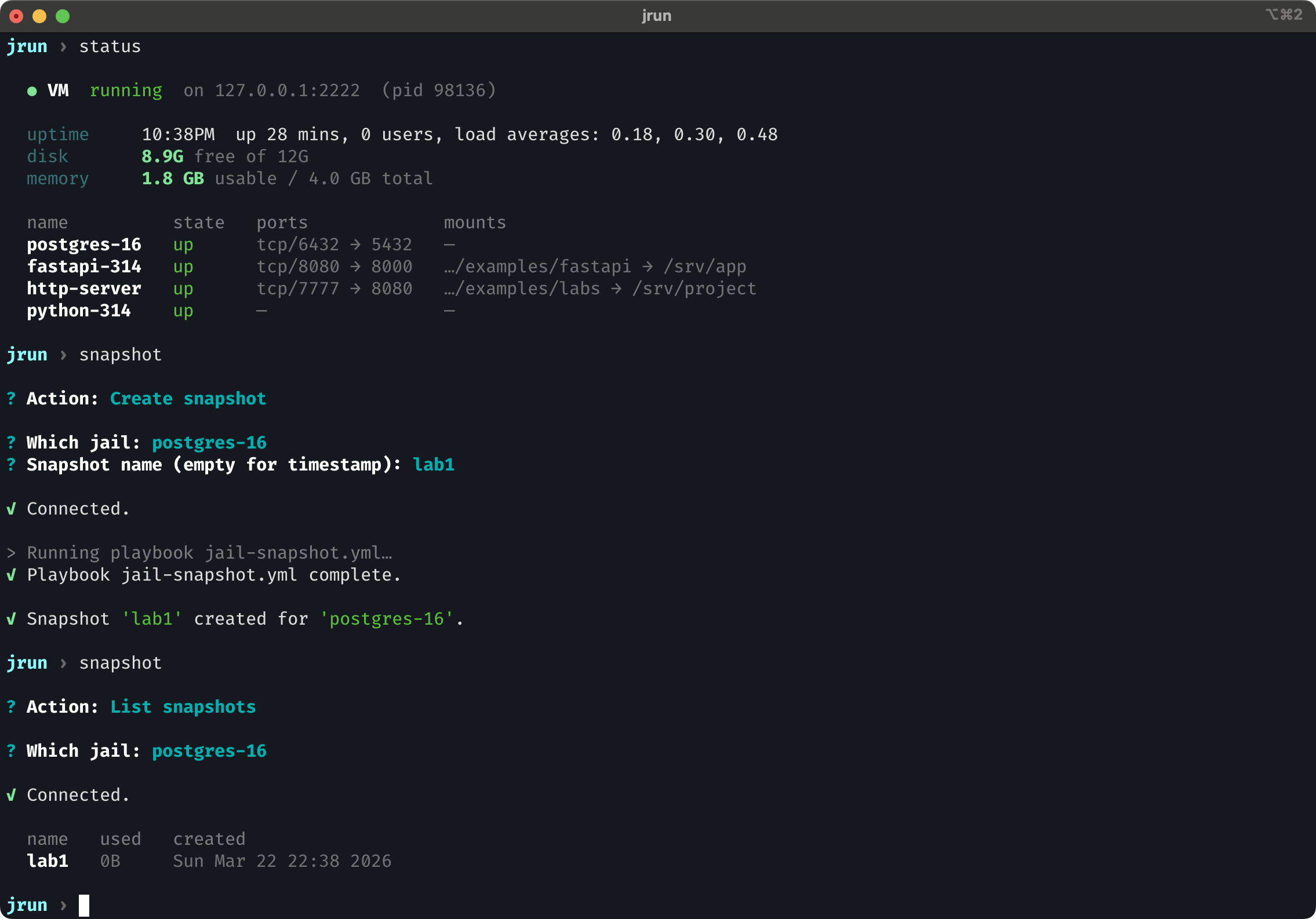
Everything works? The snapshot costs you nothing. Something broke? Rollback anytime.
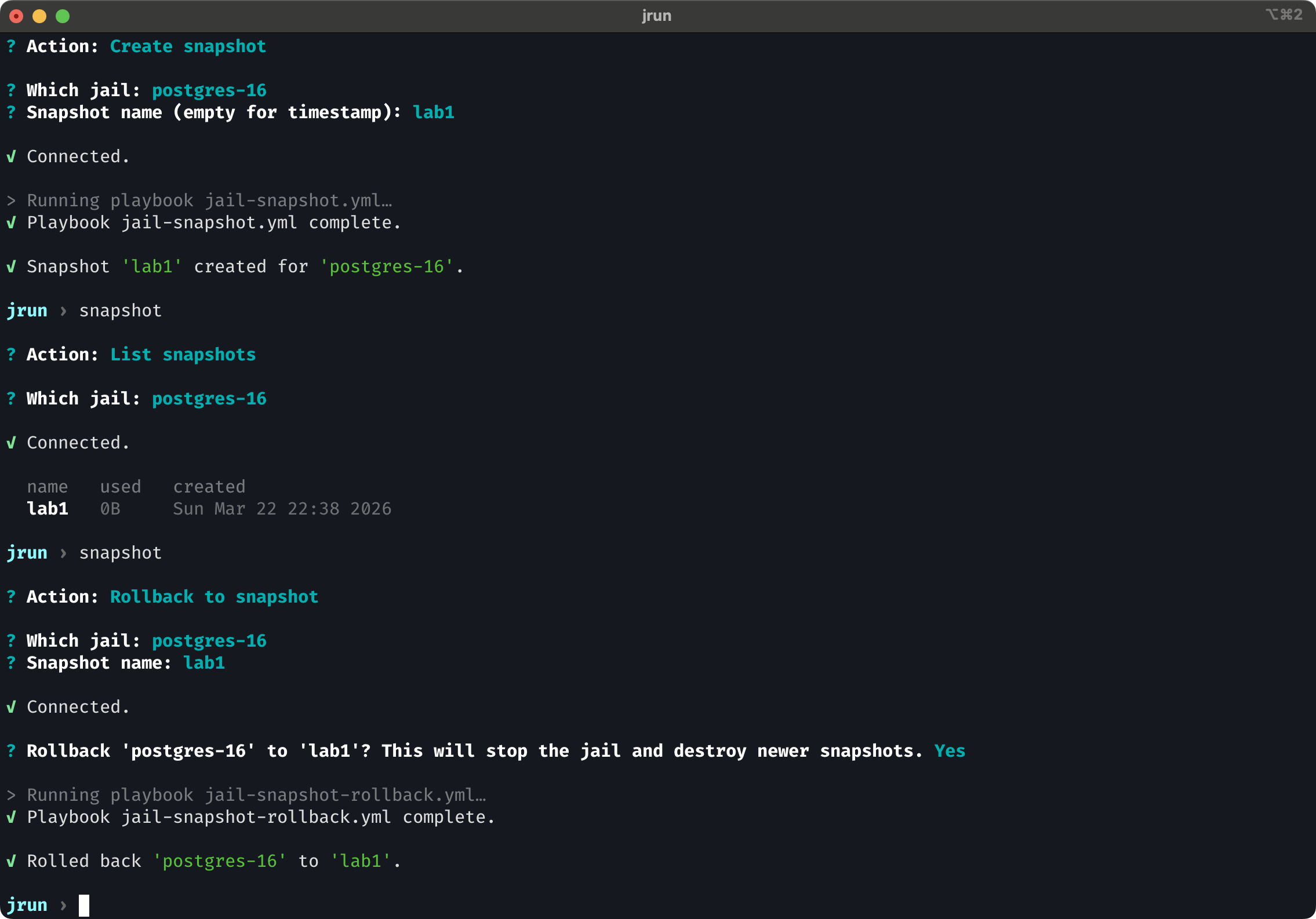
The jail is back to exactly where it was, as if nothing happened.
You can also automate it. A cron job that runs jrun snapshot create mydb daily gives you a timestamped history of your jail's state — roll back to yesterday, or last Tuesday, whenever you notice something went wrong.
What gets captured
Each jail lives on two ZFS datasets: one for jail configuration (IP, mounts, permissions) and one for the jail's root filesystem (everything inside /). When jrun creates a snapshot, it captures both. Rollback restores both.
This means a rollback doesn't just restore your files — it restores the jail to its exact prior state, including system configs, installed packages, and service state on disk.
What to keep in mind
Snapshots are not backups. They live on the same disk as your data. If the disk fails, both the data and the snapshots are gone.
Rolling back destroys all newer snapshots. If you have snapshots A, B, and C, rolling back to A destroys B and C. ZFS enforces a linear history — there's no branching.
Snapshots don't track processes or network state. They capture the filesystem. If your database had uncommitted transactions in memory, those are gone after a rollback. The jail starts fresh from whatever was on disk at snapshot time — the same as rebooting after a power cut, but at a known-good point.
Commands
| Command | Description |
|---|---|
jrun snapshot create <jail> |
Snapshot with auto timestamp |
jrun snapshot create <jail> <n> |
Snapshot with a name |
jrun snapshot list <jail> |
List snapshots |
jrun snapshot rollback <jail> <n> |
Rollback to a snapshot |
jrun snapshot delete <jail> <n> |
Delete a snapshot |